


KSAT Plus
3.725.00 Reviews
App Specs
- Version
- 2.1.484
- Updated On
- License
- Free
- Downloads
- 10,000+
- Developer
- Graham Media Group
- Categories
- News & Magazines
- Platform
- Android
Screenshots

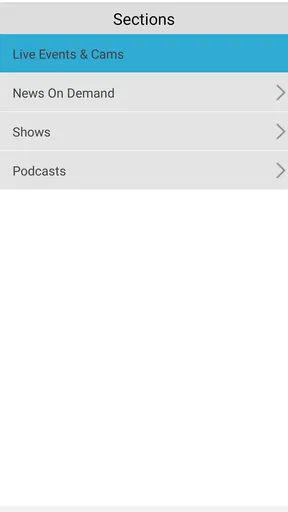
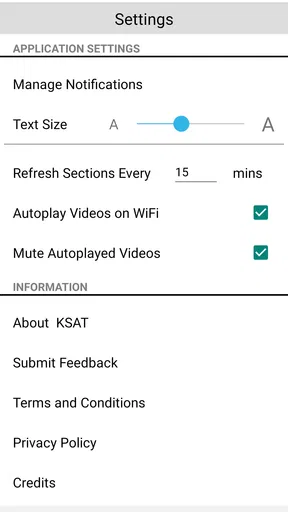
 Analysis by AppCompare
I find KSAT Plus most useful when I want to follow what is happening in the San Antonio area through KSAT’s mobile coverage, rather than build a broad, national news diet. It is a free news and magazines app from Graham Media Group, and its focus on news, live events and other viewing makes it a different kind of companion from a conventional headline reader. My main advice is to treat it as a local source you can check when something is unfolding, then decide whether its pace and coverage suit your routine.
Making the app fit the way you follow local news
I find this section’s main question is how to make a local video source useful without expecting it to replace every news habit. I’d consider when I genuinely have time to watch, what kinds of KSAT coverage I want to follow, and which other sources I rely on for quick reading. That distinction helps set up the practical checks and viewing routines that follow.
Where a first visit can feel less obvious
For me, the first question is not simply where to tap, but what I expect the app to do. It is easy to arrive expecting a general-purpose news feed, weather dashboard and social space all in one. That expectation can get in the way of judging the experience on its own terms: KSAT Plus is primarily a way to watch KSAT news and live events on a phone or tablet. If video is not what I want at that moment, a text-focused news app may be a quicker route to a headline.
That distinction matters in ordinary use. When I have a minute between errands, I want to know whether opening the app will help me follow a local story or whether I should use a browser or another source for a quick written update. I would approach it as a place to check for coverage and viewing, not assume that every section or format described by a general news app will be present. Starting with that modest expectation makes the first session less frustrating.
There can also be a practical difference between finding a live event and watching it. A story may be relevant, but streaming still depends on a steady connection and a moment when I can give the screen my attention. If I am in a noisy queue or moving through a weak-signal area, video is not automatically the most convenient way to keep up. I use those moments to note the subject, then return when I can watch properly or turn to a text source for an immediate summary.
Setup checks before blaming playback
The app was released on May 11, 2020, and its current version is 2.1.484. It supports Android from version 8.0, while the store presents it as suitable for everyone aged 10 and up. Those details are useful when deciding whether an older device is a sensible test case: if a phone falls below the stated Android minimum, troubleshooting the app itself is unlikely to resolve compatibility trouble. On iOS, I would check the device’s own app-store compatibility information before downloading.
If something will not load, I start with simple checks rather than repeatedly tapping the same control. I confirm that the device has a working internet connection, try another app or page to see whether the connection is generally available, and then reopen the news app. If only video is affected, I switch between Wi-Fi and mobile data when practical; that helps distinguish a local connection issue from a broader problem without assuming what is happening behind the scenes.
Worth Reading Before You Choose

EA SPORTS FC Mobile 26 Is a Bigger Football Game, but It Takes Time

Flipboard Shows What News Apps Must Do Beyond the Feed

Switching to Android Auto Means Rethinking Your Driving Routine

Google Calendar Makes a Crowded Week Easier to Manage

Ludo King Makes the Most of the Minutes Between Plans

Baby Panda World Brings Quick Play to Modern Phones, but Its Game Library Feels Busy
I also make sure the device has enough breathing room for normal app use and that I am not trying to watch while the connection is being shared by several demanding tasks. These are general checks, not special KSAT settings. The useful habit is to change one thing at a time: reconnect, retry, and observe whether the same screen fails. That gives me a clearer signal than changing several device settings at once.
A calmer workflow when a live stream stalls
Live coverage is valuable precisely when timing matters, but it is also the format most exposed to interruptions. If a stream pauses, I wait briefly, check whether the connection is stable, and then leave and reopen that viewing session if needed. I avoid repeatedly restarting in rapid succession; when a connection is fluctuating, that can make it harder to tell whether the stream has recovered or simply been interrupted again.
For an event I do not want to miss, I build in a fallback. I can keep the app available for the video while using a trusted local news source or the broadcaster’s other established channels to check whether coverage is continuing. That is not a claim that every event appears in every format. It is a practical way to avoid treating one phone screen as the only route to timely information.
Notifications call for a similar bit of restraint. When alerts are available and useful to me, I keep only the ones that help me act or pay attention; I do not want every update competing with work or family messages. If a notification seems delayed, I first open the app and check the current coverage rather than infer that the story has stopped. Alerts can draw attention, but they are not a substitute for checking the source when the detail matters.
When the phone or the connection is the real obstacle
Not every rough session points to a flaw in the app. A video that struggles on a crowded public connection, a phone running low on power, or a device that cannot meet the Android minimum can each make viewing less pleasant. I would test a different network and restart the device before deciding that the service itself is at fault. If the same issue persists across a reliable connection while other video works normally, then contacting the app’s support channel is a more useful next step than endlessly reinstalling.
There is also a format limitation worth accepting. A stream asks for time, sound and a screen, while a written report can be skimmed silently and revisited quickly. When I need a detail I can quote, compare or search later, a text article is usually the better tool. When I want the context of a live local event, video can feel more immediate. Picking the format to match the situation is a better test of the app than expecting one format to win every time.
Who will get the most from it
The strongest fit is someone who follows KSAT’s local coverage and wants a mobile way to watch news or live events. It can also be useful for a household that shares an interest in local happenings: one person can check coverage during a commute break, then tell others when there is something worth watching together later. A realistic routine might be to open it before leaving home, check whether an important local event is being covered, and save a longer viewing session for a stable connection at lunch.
It is less compelling for someone who wants a single app to aggregate many publishers, compare political coverage across outlets, or read a large range of national and international reporting. In those cases, a broad news aggregator or the websites and apps of several outlets will offer a better mix. I would also skip it as a primary option if I rarely watch news on a phone, have limited data, or mainly want fast, text-only updates. Free to download does not make mobile video cost-free in practice if a user’s data allowance is tight.
How it compares with familiar news alternatives
Compared with a general headline aggregator, this app’s appeal is its connection to KSAT’s coverage and live viewing rather than breadth across publishers. An aggregator is better for scanning many sources side by side; a local broadcaster’s app is more useful when I want to check that broadcaster’s reporting or look for a live event. A browser can be more flexible for one-off searches, but it may take extra steps to find the right live coverage. The choice is less about which tool is universally better and more about whether local video is a regular part of how I follow news.
Its average rating is 3.7 from around 55 ratings, with about 25 written reviews and over 10,000 installs. I read those numbers as a modest sign of an established but relatively small audience, not as proof that every device or stream will behave the same way. They are one consideration alongside the app’s specific purpose. If you are unsure, the free price makes it easier to try, while the best test is whether the coverage you care about is useful enough to bring you back.
All-In-One News Hub
Right off the bat, KSAT Plus positions itself as an all-in-one news hub. Whether you're interested in local headlines, international news, or even specific niches like sports or entertainment, this app has you covered. The layout is straightforward, making navigation a breeze even for those who aren't tech-savvy.
As soon as you open the app, you're greeted with a clean interface that highlights the top stories. It's like having your personal news curator, filtering out the noise and presenting you with what's essential. The customization options allow you to tailor your news feed based on your preferences, which is a game-changer for anyone tired of the same old news cycle.
Weather That Actually Helps
One of my favorite features has to be the weather updates. The app doesn't just give you a simple forecast; it provides detailed information that’s actually useful. From hourly breakdowns to severe weather alerts, you can plan your day without any surprises. I found the radar feature particularly impressive, as it gives live updates on weather patterns in your area.
Suppose you're planning a weekend getaway or a simple picnic in the park. In that case, the app's weather section ensures you're well-prepared. It's like having a meteorologist in your pocket!
Interactive Features & Live Streams
Another standout aspect of KSAT Plus is its interactive features. The app isn’t just about passively consuming content; it encourages active engagement. You can participate in polls, quizzes, and even live chats during events. It brings a sense of community and interaction that's often missing in other news apps.
Speaking of live events, the live streaming function is top-notch. Whether it's a breaking news event or a local sports game, you can catch it live without any hiccups. The streaming quality is impressive, and I didn’t experience any buffering, which is always a plus.
Notifications: A Blessing or a Curse?
Ah, notifications—the double-edged sword of any app. KSAT Plus does a decent job of keeping you informed without being too intrusive. You can customize which notifications you want to receive, which is great for avoiding information overload.
However, if you're someone who’s easily distracted, you might find the frequent alerts a bit much. Thankfully, the settings are flexible, allowing you to tweak them to your liking. It’s all about finding that sweet spot between staying informed and staying sane.
Usability and Performance
In terms of usability, the app runs smoothly on both Android and iOS devices. I didn’t encounter any lag or crashes, which is often a concern with media-rich apps. The developers have clearly put in the effort to optimize it for a seamless experience.
The app’s design is intuitive, with everything neatly categorized. Whether you’re a tech guru or a newbie, you’ll find it easy to navigate. Plus, the search function is robust, ensuring you can find any topic or article you’re interested in quickly.
Final Thoughts
So, is KSAT Plus worth downloading? If you’re a fan of having everything at your fingertips—from news to weather and interactive features—then absolutely. It’s a comprehensive app that caters to a variety of interests, and its user-friendly design makes it accessible to everyone.
While it might not replace your favorite news app entirely, it certainly offers enough unique features to earn a spot on your home screen. Give it a try and see if it fits your lifestyle. After all, staying informed has never been this engaging!
Pros
- User-friendly interface
- easy navigation.
- High-quality video streaming available.
- Personalized news alerts feature.
- Comprehensive local weather updates.
- In-depth investigative reports.
Cons
- Occasional app crashes reported.
- Ads can be intrusive at times.
- Limited offline content access.
- Some features require premium subscription.
- Updates can be slow to load.
FAQs for KSAT Plus
What is KSAT Plus and what features does it offer?
KSAT Plus is a comprehensive news app designed to keep users updated with the latest local, national, and international news. It offers features such as live streaming of news broadcasts, personalized news alerts, and in-depth articles. The app also includes weather updates, sports scores, and traffic reports to ensure users have access to all essential information in one place.
Is KSAT Plus available on both Android and iOS platforms?
Yes, KSAT Plus is available for download on both Android and iOS devices. Users can find the app on the Google Play Store for Android and the Apple App Store for iOS. The app is designed to be user-friendly on various devices, ensuring a seamless experience across platforms.
Does KSAT Plus require a subscription or login to access content?
While KSAT Plus offers a wide range of free content, some features may require a subscription for full access. Users can access most news articles and live streams without logging in, but premium content, such as exclusive stories or ad-free experiences, might need a subscription. Registration may be necessary for personalized notifications.
How frequently is the content on KSAT Plus updated?
Content on KSAT Plus is updated continuously to provide users with the latest news and information. The app features real-time updates, ensuring that users receive breaking news alerts as they happen. Regular updates also include weather forecasts, traffic conditions, and sports scores to keep users informed throughout the day.
Can I customize the notifications and alerts I receive from KSAT Plus?
Yes, KSAT Plus allows users to customize their notifications and alerts to suit their preferences. Users can choose to receive alerts for specific types of content, such as breaking news, weather updates, or sports scores. The app also provides options to set the frequency and timing of notifications, ensuring users receive information that is most relevant to them.


